
Remixes and versions: how to improve a song
Compare the two versions you already have, or produce a new take from the idea.
Two versions already come with every creation
Every creation gives you two versions for the same 5 credits. The second version appears in your library as another song with "(Version 2)" in its name. Before creating again, listen to both: the second version may be closer to the voice or mood you were after.
What does a remix do?
A remix is a new production based on the song's details. You can change the lyrics and style, but it isn't an edit that promises to keep the melody, voice and arrangement unchanged. A remix costs 5 credits, the same as a new song.
How to start a remix
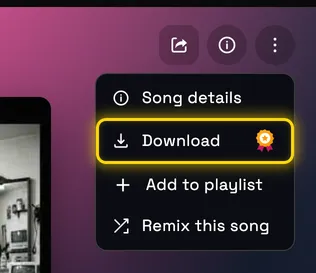
Open the song in the player or on its page and choose "Remix this song". The create page opens with the song's details and shows the version number. Change what you need, check the text and the cost, and click "Create remix". If you're testing a style change, try changing just one key trait.
Comparing and sharing
When a song has more versions, for example after a remix, you can switch between them in the "Versions" area on the song page. Choose the version you want before you copy the link or download.
What isn't supported yet?
There's no stems or WAV download. To make a song longer, use "Extend song" in the menu on the song page or in the player: it continues the song from the end or from a second you choose, costs credits and saves as a new version, so the original stays as it is. If all you want is a pronunciation fix with no musical change, there's no promise that's possible. Start by listening to the second version, and only then decide whether to create again.
Still need help?
Message us on WhatsApp and we'll be glad to help. What to include in your message