
Creating from audio: upload and record
Start from your own voice, loop or clip and choose how it shapes the new song.
Prepare a clip you have the right to use
Sounds mode starts from audio rather than from a description alone. Use your own material, or material you have proper permission to submit to the service. Uploading a recording doesn't give you rights to someone else's material, and it doesn't promise voice cloning or an exact recreation of a melody.
Upload or record
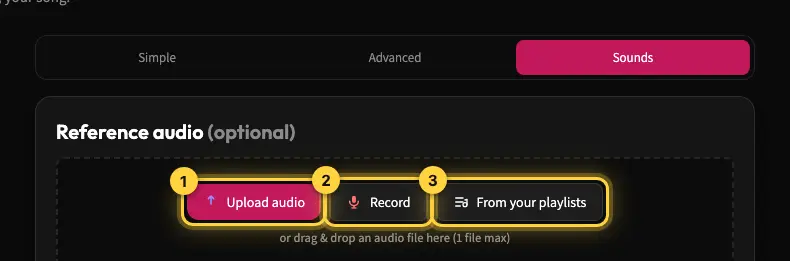
On the create page, choose Sounds. Upload an MP3, WAV or M4A file, or choose Record and allow microphone access. Video files aren't supported for this upload. When you upload a file, you can mark what kind of clip it is, such as Voice, Loop, Rhythm / Percussion or Full Song, and add a short description. A recording is attached directly, without the description step. Kleep then analyzes the audio and drafts a style, lyrics and a name from it, all of which you can edit.
Choose how it influences the song
"Use text only" uses the lyrics and style picked up from your clip and generates a new voice and sound. "Influence sound & style" lets the clip also shape the voice, melody and feel. Choose based on your goal: just a lyrical idea, or broader musical inspiration.
Using songs from your playlists
You can pick From your playlists to get inspiration from songs you've already made. Only your own music is used for this. Before you create, check the description and lyrics that were picked up, especially if the recording has noise or unclear singing.
If the upload doesn't work
Make sure it's an audio file in a supported format and that it plays on your device. For a recording, check the microphone permission in your browser. Don't assume a format you can upload is also one you can download: song output is MP3 only.
Still need help?
Message us on WhatsApp and we'll be glad to help. What to include in your message