
Embed a song on your website or blog
Add a player to your page with the embed code.
Embedding a song on your site
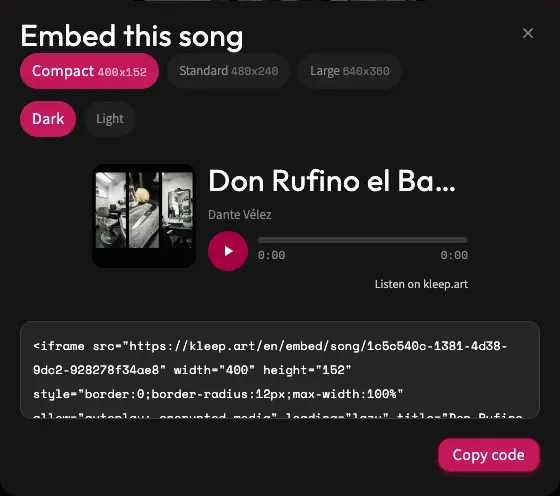
Embedding is available for public songs only. Click Share, then Embed in the window that opens, and you get a small player you can paste into a blog or website. Choose a size (Compact, Standard, or Large) and a Dark or Light theme, check the preview, and click Copy code. On a private song, the Embed button doesn't appear.
Before you copy the code
Open the version you want to show and listen to it. Pick a size that fits your page and colors that stay readable on your background. Large can suit a page dedicated to the song, and Compact can sit nicely next to text.
After you paste it
In your site's editor, use the area that accepts embed code or HTML. How you paste it depends on the platform your site is built on. Save a preview and check that the player shows up and plays, on a phone too. If your platform strips out the code, check whether it supports embeds.
Embedding is sharing too
Anyone who visits the page with the embedded player can listen, and the player includes a link to the song on Kleep. Since only a public song can be embedded, the song is also on your profile and can be found by searching Explore. If you make the song private, the embedded player stops working. Make sure you have the right to publish the content on the page where you place it.
Still need help?
Message us on WhatsApp and we'll be glad to help. What to include in your message