
Pick a ready style and voice, then create a song
Listen to ready-made styles and voices, pick one of each and create one song from both.
What are Styles and Voices?
Styles holds ready-made music styles such as Pop, Trap, Lo-fi, Jazz, Reggaeton and Mediterranean Pop. Voices holds ready-made singing and rap voices, male and female. Every style and voice has a short preview. Pick one style and one voice, and Kleep creates a song that combines both. Both links are in the sidebar.
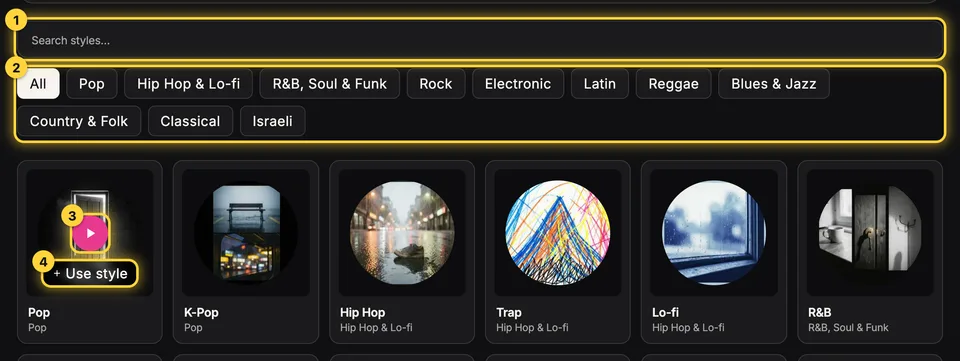
1. Pick a style
Open Styles. Search by name or filter by genre. Hover a card (on phones the buttons always show) and press play to hear a music-only preview. While it plays you can drag the progress bar forward or back. Found one you like? Press Use style.
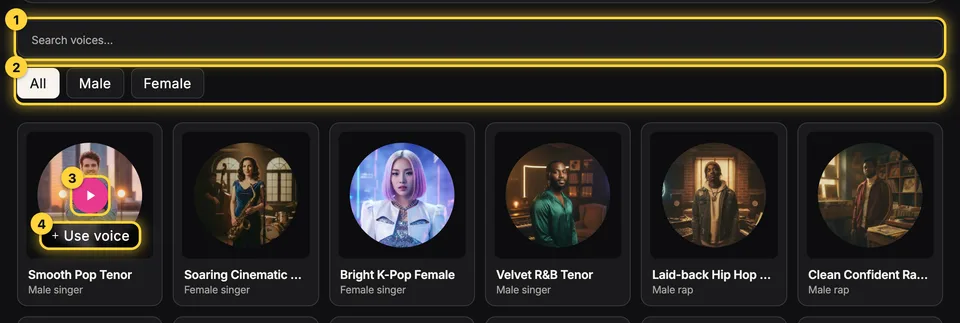
2. Pick a voice
Open Voices. Filter by Male or Female (rap voices sit under their gender) and listen to a stretch where the voice sings. Press Use voice to pick it. Your picks are saved in this browser, so you can pick the style and the voice in any order.
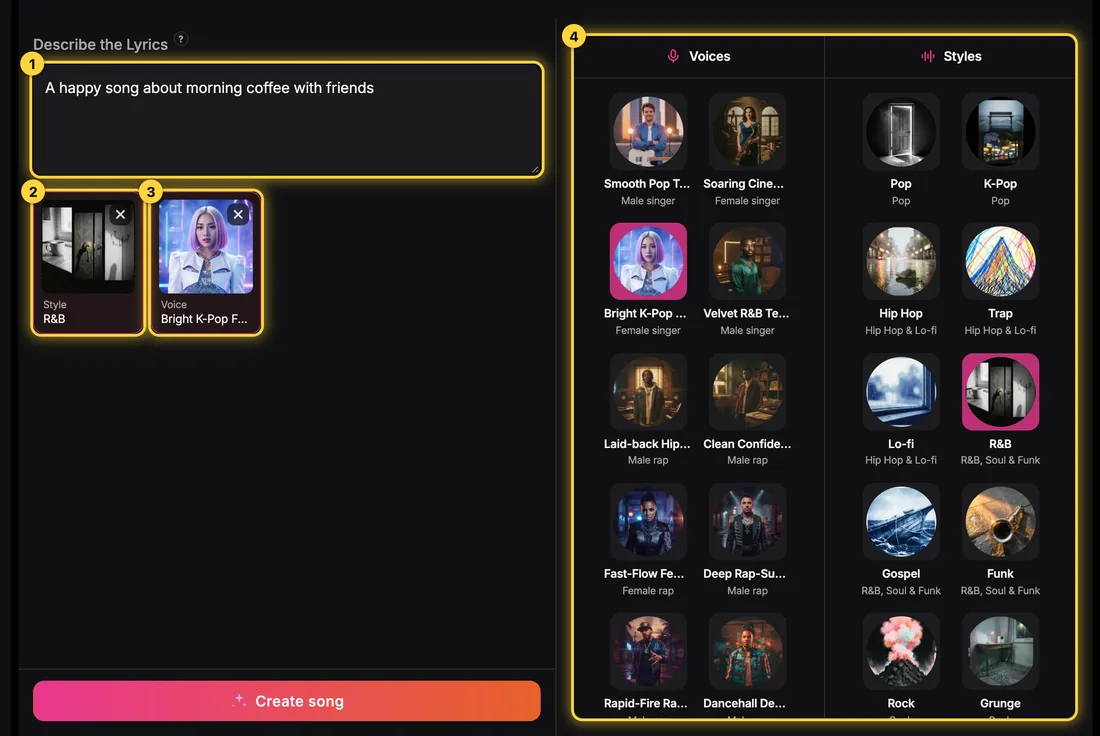
3. Create the song
On the Create page, in Simple mode, your picks show as cards under the description box. Write briefly what the song is about and press Create song. A picked style is enough to create even without a description. On a computer, a voices column and a styles column sit beside the form, so you can pick or swap right there without leaving the page. Remove a pick with the X in its corner; swap it by clicking another card.
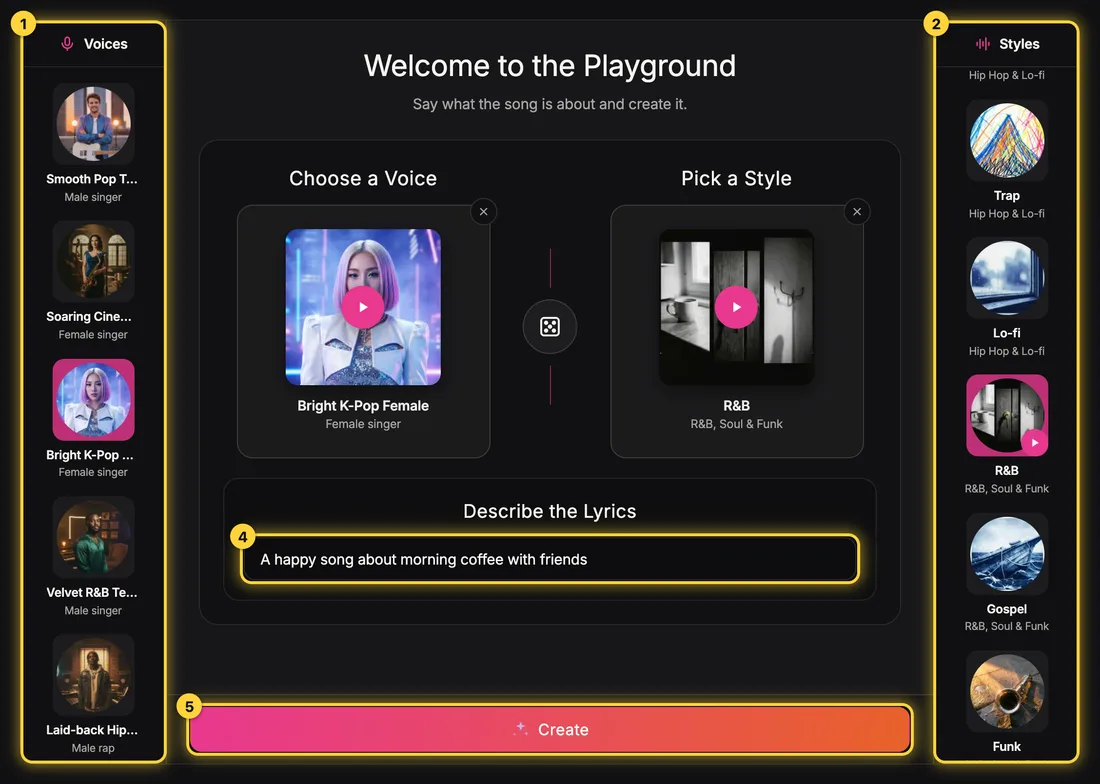
Playground: everything on one screen
In the Playground the voices are in one column and the styles in the other. Pick a voice and a style, or press the dice for a random pair. In Describe the Lyrics write what the song is about, then press Create. Here too every creation costs 5 credits and includes two versions.
Good to know
The voice stays the same across the songs you create with it, but every performance is still a little different, so listen to both versions. An instrumental has no singing, so the voice card is hidden. You can still write your own lyrics in Advanced mode, or describe a free-form style in words instead of picking a ready one.
Still need help?
Message us on Telegram and we'll be glad to help.